
 All Data Analytics for the ACFE (1 CPE)
  Text Mining Application to Internal Audit (1 CPE)
  Is Your S4 Configuration Secure? (1 CPE)
 Only logged in customers who have purchased this product may leave a review.
Power BI Fundamentals for Internal Auditors – Part 2: Building Your Audit Dashboard (0.5 CPE)
$10.00
This is an archived session from 9-9-26, Power BI Fundamentals for Internal Auditors – Part 2: Building Your Audit Dashboard with Sekou Tyler.
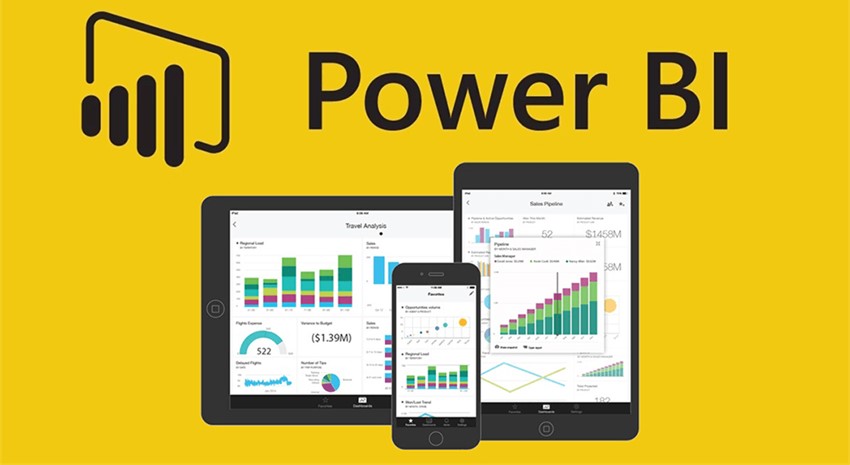
In Part 1, you connected your data, built your model, and wrote the measures. Now it’s time to build the dashboard. In this hands-on follow-up session, we move from the back end to the visual layer — turning raw audit data into an interactive, insight-ready report that speaks the language of risk.
You’ll build out a complete audit analytics dashboard using the journal entry dataset from Part 1, covering KPI cards, flag breakdowns, vendor risk charts, and slicers designed for audit workflows. We’ll close with a deep dive into conditional formatting — the feature that transforms a good report into a great one — applying risk-based color thresholds that make anomalies impossible to miss and findings easy to communicate to leadership.
No Power BI Service required. Everything in this session runs in Power BI Desktop.
Learning Objectives:
By the end of this session, participants will be able to:
- Build KPI cards and bar charts using existing audit measures
- Apply slicers and filters to isolate flagged transactions by type, vendor, or employee
- Use conditional formatting to apply risk-based color thresholds across visuals
- Arrange and format a dashboard layout suitable for presenting to audit leadership
Who Should Attend:
Internal auditors, IT auditors, and GRC professionals who completed Part 1 or have basic familiarity with Power BI Desktop and want to build their first audit-ready report.
Duration: 30 minutes (approximate)
CPEs Available: 0.5
Knowledge Level: Basic
Category: Applications




Reviews
There are no reviews yet.